Step-by-step method video — Pegboard workshop style
Make a step-by-step method video on a workbench: labels dropping off a pegboard, gauges draining, crossed-out lists and caution tape across the top.
Inbegrepen vanaf Starter, met alle 81 stijlen plus je eigen · voorbeeld gemaakt met de ClipOnIt-engine
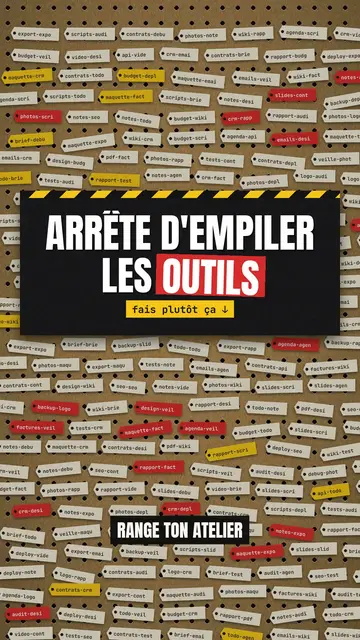
Zo ziet deze stijl eruit
Pegboard workshop hangs everything on a brown cardboard board full of holes, like the wall of a tidy workshop. Ideas become red and yellow labels that come loose and fall when they are ruled out, clipboards with a list crossed out in red marker, test tubes that act as gauges and drain before your eyes. Yellow and black caution tape runs across the top when viewers need to be careful.
Titles are in condensed capitals, with the key word on a red or yellow band. Labels speak in mono, numbers are bold, and blue pill buttons or letter keys show the action to take. For a strong moment, the background switches to black or to full-screen yellow with tape. Each step has its red number and cream label at the top left: viewers follow the method like a workshop sheet.
Geschikte onderwerpen
Avoid: emotional stories or tales with characters: the board shows objects, steps and numbers. Also avoid topics without concrete action; every label should say something you can do or sort.
- Organisation methods5S, sorting, tidying: each step becomes a label you hang up or take down.
- Tool tutorialsLetter keys and blue buttons show the exact move, step by step.
- Mistakes to stop makingThe marker-crossed list and the “NO” stamp clearly say what to stop.
- Business processesA quality procedure or an onboarding reads like a sheet pinned up in the workshop.
Videoideeën in deze stijl
- The 5S method in 30 seconds
Five numbered steps, useless labels falling off and the “COMPLIANT” stamp at the end.
- Tidy your desk in 4 steps
The crossed-out clipboard, the clutter gauge draining and the blue “done” button.
- 3 shortcuts nobody uses
Letter keys pressing down, the “caution” tape and the number of minutes saved.
- Sort your email without losing the day
Labels to keep, labels that drop and the inbox gauge going down.
Klaar in 1 klik
- Open de link van deze stijl
Met de knop “Maak een video in deze stijl” open je de editor met deze stijl al geselecteerd. Zonder account duurt aanmelden een minuut en heb je geen bankkaart nodig.
- Schrijf je onderwerp in één zin
Eén idee is genoeg. Je kunt ook je tekst plakken of, vanuit Starter, inspreken via de microfoon: de video bouwt dan voort op jouw stem.
- Nakijken, dan renderen
AI schrijft de scènes, kiest de elementen van de stijl en timet ze op de woorden, met stem en ondertitels. Jij past aan wat niet klopt, daarna is de verticale MP4 binnen een paar minuten klaar.
Wat je kunt aanpassen
For each scene you pick the background (board, black or yellow with tape), the title and the colour of its band, a numbered section, a small tag under the title, a stamp, a source note, and one piece on the word: number, gauges, clipboard, labels, terminal, button, object or keys.
Veelgestelde vragen
Gratis of niet, output, gebruik: de korte antwoorden.
Does the style work for internal training?
Yes. Numbered steps, crossed-out lists and stamps suit procedures, safety rules and team methods well.
Kan ik mijn eigen stem gebruiken?
Yes. Record yourself or import your audio: each label drops and each gauge drains on your words.
How is it different from Terracotta studio?
Terracotta studio shows UI cards floating on cream. Pegboard workshop hangs physical cardboard objects: labels, gauges, clipboards, tape.
Is deze stijl beschikbaar in het gratis abonnement?
Nee, het zit in Starter ($29/maand): 15 video's per maand zonder watermerk, alle 81 stijlen plus je eigen stijlen. Het gratis plan geeft 3 video's per maand met watermerk in 8 andere stijlen: Pixel News, Press paper, Comedy cartoon, Class sketch, Night tale, Social screen, Retro synthwave en Flat vector.
Als je deze stijl leuk vindt
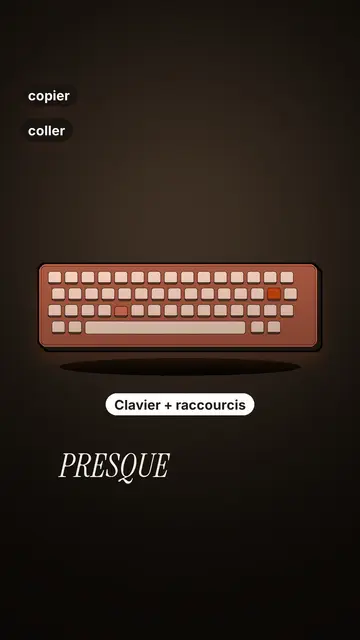
Tech tutorial video maker
Terracotta studio style · Tutorials told with UI cards floating in light 3D on cream: numbered labels, rolling counters, terracotta title plates.
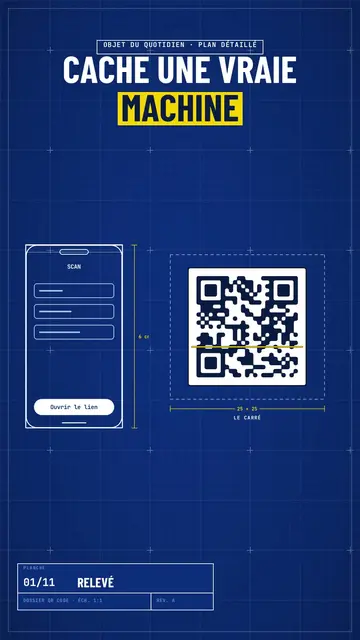
Blueprint diagram video
Blue blueprint style · A gridded blue blueprint sheet: line-drawn wireframes, dimensions, a title block and a yellow note.
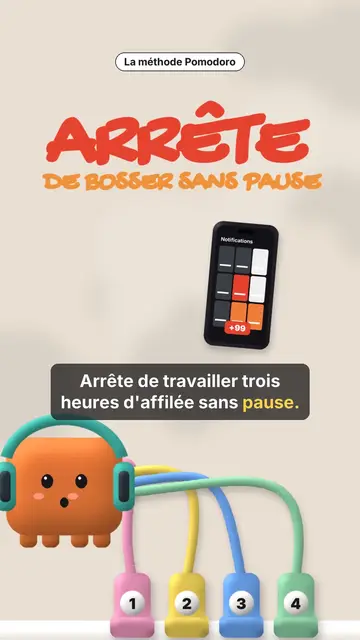
Clay 3D step-by-step video
Clay mascot style · A clay cube mascot plugged by cables into numbered sockets, one per step.
Jouw idee, in deze stijl
Schrijf een zin of spreek hem in: de stijl is al gekozen wanneer je de editor opent.