Techtop-lijstvideo maken — Tech-lijststijl
Maak een techtop-lijstvideo: een kaart op zwart, een grote oranje kop en een genummerde lijst die verschijnt met de stem, voor tools, tips en snelle vergelijkingen.
Included from Starter, with all 24 styles plus your own · preview rendered by the ClipOnIt engine
Zo ziet deze stijl eruit
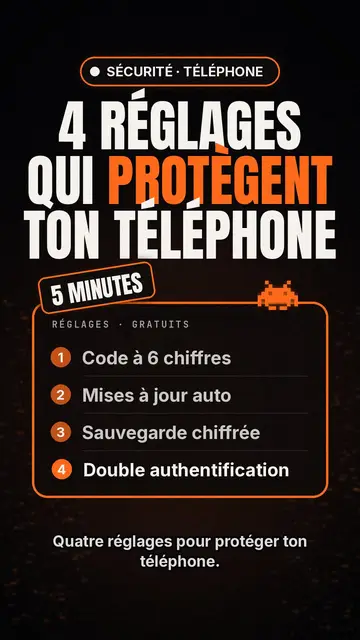
Tech list presents each scene as a card on a black background. At the top, a glowing pill-shaped badge names the category, then a huge condensed headline in white and orange fills the width. A slanted patch sits on the card, like a “NEW” or “FREE” sticker, and a small pixel art pictogram recalls the topic.
The heart of the style is the numbered list, inside a glowing orange-edged frame: each line appears the moment the voice says it, which keeps attention to the last item. A monospace header caps the card, and captions stay discreet at the bottom so the list can breathe. Instead of the pictogram, you can show a screenshot or an imported image.
Geschikte onderwerpen
Avoid: stories and emotional topics: a story does not split into numbered points. The style also shows few images, so a very visual topic (travel, nature, food) loses out. Past six items per card the list becomes hard to read: split it across several scenes.
- Top lists and tool picksThe list format is made for “5 apps worth knowing”: each tool gets its line, its number and its moment.
- Tips and settingsSteps show up one by one, readable enough to follow with your phone in hand.
- Quick comparisonsThree offers, three lines, and the slanted patch to point at the winner.
- Product updatesThe badge and orange headline feel like an announcement, handy to present the features of an update.
Videoideeën in deze stijl
- 4 settings to protect your phone
A “SECURITY” badge, an orange headline, then the four settings appearing as the voice goes.
- 5 free tools to edit your videos
One line per tool, a “FREE” patch on the card, and a screenshot for the favourite.
- Keyboard shortcuts that save you an hour
Each shortcut as a numbered line, with the monospace header styled like a terminal.
- Three subscriptions compared
Price, limit and strength in three lines per card, then a final card that settles it.
Klaar in 1 klik
- Open de link van deze stijl
Met de knop “Maak een video in deze stijl” open je de editor met deze stijl al geselecteerd. Zonder account duurt aanmelden een minuut en heb je geen bankkaart nodig.
- Schrijf je onderwerp in één zin
Eén idee is genoeg. Je kunt ook je tekst plakken of, vanuit Starter, inspreken via de microfoon: de video bouwt dan voort op jouw stem.
- Nakijken, dan renderen
AI schrijft de scènes, kiest de elementen van de stijl en timet ze op de woorden, met stem en ondertitels. Jij past aan wat niet klopt, daarna is de verticale MP4 binnen een paar minuten klaar.
Wat je kunt aanpassen
On each card you write the badge, the headline and its orange word, the slanted patch, the monospace header and up to six list lines. Swap the pictogram for an image of yours, or for other library elements placed wherever you like. The accent colour, orange by default, can be changed for your brand, and each scene keeps an editable length and narration, with three variants on request. From Starter, record your own voice and make fixes by talking to the AI Director.
Frequently asked questions
Gratis of niet, output, gebruik: de korte antwoorden.
What is a top list video?
A short video presenting a numbered selection, “the 5 best…” or “4 tips to…”, one point at a time. Here, AI writes the list, splits it into cards and makes each line appear with the voice.
Can I show app screenshots?
Yes, an imported image takes the pictogram's place on the card. Use your own screenshots, and check that you may show any logos they contain.
How many items per list?
Six at most per card. For a top 10, AI spreads the list over several scenes, which keeps the pace brisk.
Is deze stijl beschikbaar in het gratis abonnement?
No, it comes with Starter ($29/month): 15 watermark-free videos a month, all 24 styles plus your own. The free plan gives 3 videos a month with a watermark in 8 other styles: Pixel News, Press paper, Comedy cartoon, Class sketch, Night tale, Social screen, Retro synthwave and Flat vector.
Als je deze stijl leuk vindt
- Gratis
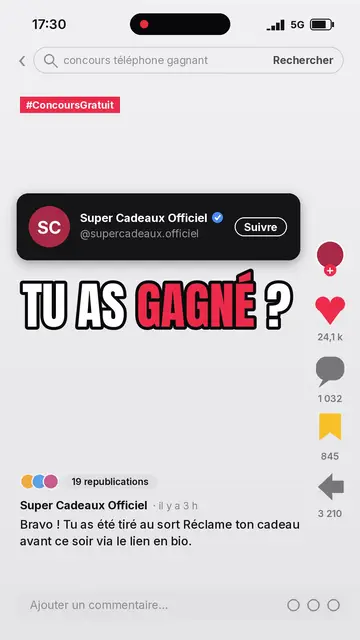
Social media explainer video
Social screen style · A recreated social feed: profile, counters, comments.
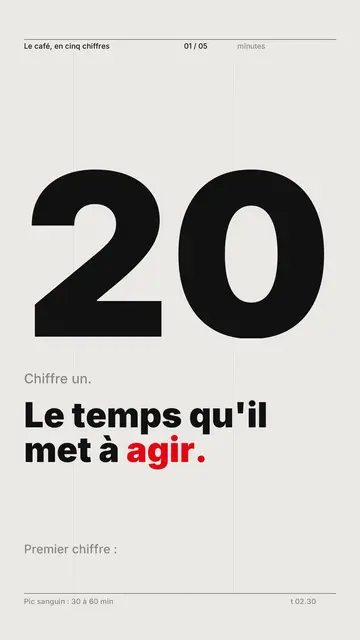
Kinetic typography video maker
Swiss grid style · Swiss typography: light paper, strict grid, giant figure, one signal colour.
Voxel animation video
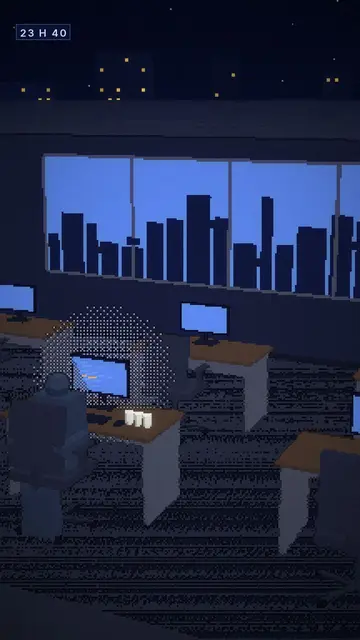
Voxel night style · Chunky-pixel 3D nights, glowing city and screens.
Jouw idee, in deze stijl
Schrijf een zin of spreek hem in: de stijl is al gekozen wanneer je de editor opent.