RPG-style tutorial video — Pixel RPG quest style
Make a tutorial played like a pixel art RPG quest: a checklist ticked on the word, a dialogue box, an inventory, a chest and full-screen spells.
Inbegrepen vanaf Starter, met alle 81 stijlen plus je eigen · voorbeeld gemaakt met de ClipOnIt-engine
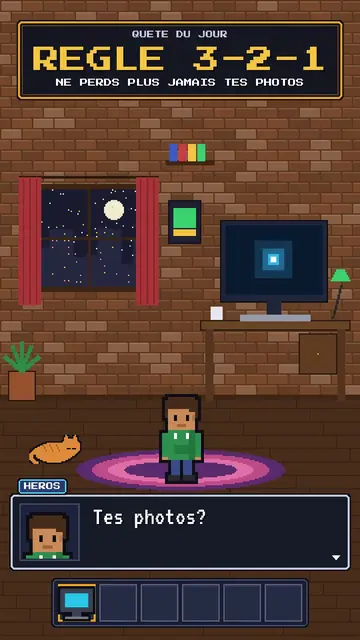
Zo ziet deze stijl eruit
Pixel RPG quest turns your tutorial into a video game played on screen. The set is pixel art: a bedroom at night with the pixel hero, their computer and their cat, or a castle under the northern lights. On top sits an RPG interface: at the top, the checklist of the day's quest, whose steps tick on the spoken word; at the bottom, a dialogue box where the hero or an AI speaks; and an inventory bar with a sword, potion, key or computer.
Frames are golden like in old games, and win moments show a “QUEST COMPLETE” panel, a chest opening with its loot or a counter. Between two chapters, a full-screen spell bursts out, fire, ice, lightning or stars. The camera can zoom into the computer screen, where lines type themselves like in a terminal. The hero changes pose: idle, victory, or casting a spell.
Geschikte onderwerpen
Avoid: grave or sad topics: the game tone would make them feel light. Also avoid topics without steps to tick; the quest needs concrete goals, not just a story.
- Step-by-step tech tutorialsEach step is a quest line that gets ticked: viewers know how many are left.
- Digital safety rulesBackups, passwords, updates: the quest makes a chore almost fun.
- Gaming and geek culture videosRPG codes speak straight away to an audience of players.
- Challenges and goalsThe chest and the “QUEST COMPLETE” panel reward the ending, like in a game.
Videoideeën in deze stijl
- The 3-2-1 backup rule
The “never lose your photos” quest, the three steps ticked, the chest and the “QUEST COMPLETE” panel.
- Create an unbreakable password
The key in the inventory, the zoom into the screen and the ice spell at the end.
- Install your first local AI
The bedroom at night, the computer typing commands and the AI speaking in the dialogue box.
- The 4 steps to launch your channel
The castle, the checklist ticking and the subscriber counter in the chest.
Klaar in 1 klik
- Open de link van deze stijl
Met de knop “Maak een video in deze stijl” open je de editor met deze stijl al geselecteerd. Zonder account duurt aanmelden een minuut en heb je geen bankkaart nodig.
- Schrijf je onderwerp in één zin
Eén idee is genoeg. Je kunt ook je tekst plakken of, vanuit Starter, inspreken via de microfoon: de video bouwt dan voort op jouw stem.
- Nakijken, dan renderen
AI schrijft de scènes, kiest de elementen van de stijl en timet ze op de woorden, met stem en ondertitels. Jij past aan wat niet klopt, daarna is de verticale MP4 binnen een paar minuten klaar.
Wat je kunt aanpassen
For each scene you pick the set (bedroom, castle or screen), the quest and its ticked steps, the big gold-framed banner, who speaks in the dialogue box and their name, the hero's pose, the lines typed on the screen, up to two panels (quest complete, chest, counter), the entry spell and the inventory.
Veelgestelde vragen
Gratis of niet, output, gebruik: de korte antwoorden.
Do I need to know video games?
No. Just write your tutorial in steps: the engine puts them in the quest, ticks each step on the right word and adds the game panels.
Kan ik mijn eigen stem gebruiken?
Yes. Record yourself or import your audio: steps tick and spells burst on your words.
Hoe verschilt het van Pixel News?
Pixel News tells the news in grey-and-red pixel art, in a TV bulletin tone. Pixel RPG quest turns a tutorial into a game, with a quest, inventory and colourful spells.
Is deze stijl beschikbaar in het gratis abonnement?
Nee, het zit in Starter ($29/maand): 15 video's per maand zonder watermerk, alle 81 stijlen plus je eigen stijlen. Het gratis plan geeft 3 video's per maand met watermerk in 8 andere stijlen: Pixel News, Press paper, Comedy cartoon, Class sketch, Night tale, Social screen, Retro synthwave en Flat vector.
Als je deze stijl leuk vindt
Versus comparison video
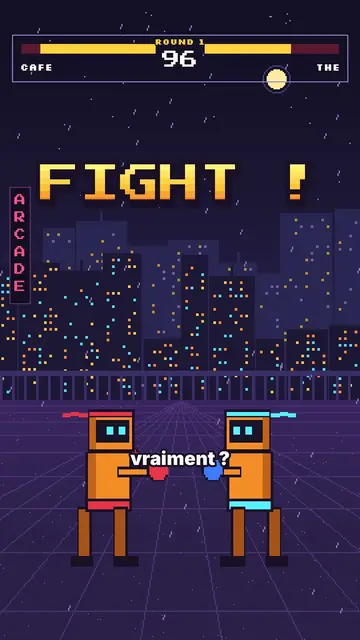
Arcade fighter style · Retro brawler pixel art: two robot boxers face to face, arcade HUD, FIGHT! and K.O.!
- Gratis
Pixel art explainer video maker
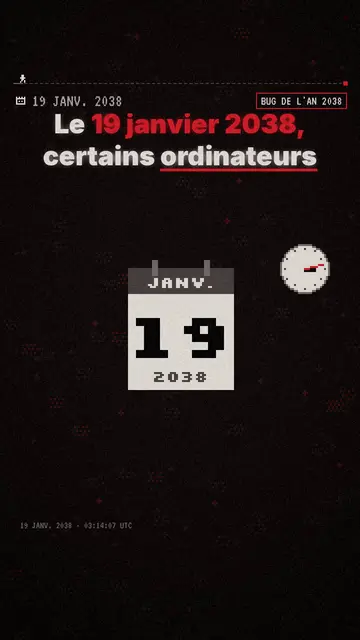
Pixel News style · Grijs-rode pixelart, gedateerde HUD, woord-voor-woord ondertitels.
Moody pixel art-verhaalvideo
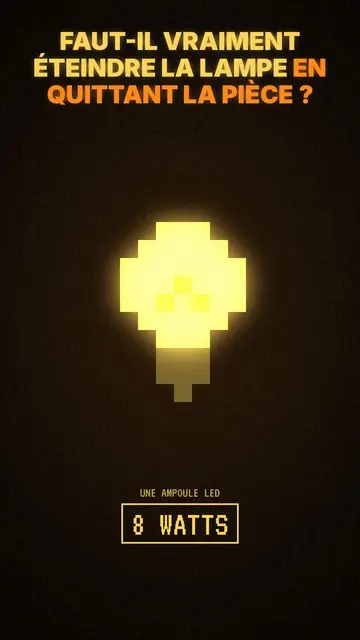
Mood pixel style · Warme, donkere pixelart met stralend geel licht.
Jouw idee, in deze stijl
Schrijf een zin of spreek hem in: de stijl is al gekozen wanneer je de editor opent.