Watercolour microscope video — Under the microscope style
Make a microscope video: lab-stained slides, watercolour specimens, a magnification dial that turns with a scale bar and focus going from blur to sharp.
Inbegrepen vanaf Starter, met alle 81 stijlen plus je eigen · voorbeeld gemaakt met de ClipOnIt-engine
Zo ziet deze stijl eruit
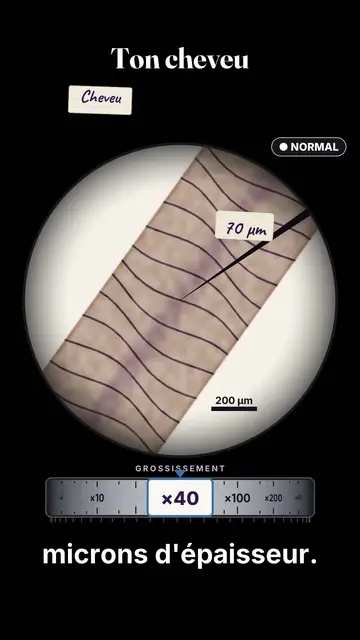
Under the microscope fits everything inside the eyepiece's circle. Slides are stained as in a lab, violet, pink and blue, and specimens are painted in watercolour, their outlines bleeding slightly: a hair, a skin cell, a red blood cell, a bacterium, a virus, pollen, a grain of salt. With each change, the focus goes from blur to sharp, as when you turn the knob.
The counter is the magnification dial, turning from ×40 to ×400 then ×1000 and beyond, with a scale bar giving the real size. A pointer marks a detail with its measurement, the slide glides under the clips to move to the next specimen, and a handwritten label names what you see. The ending pulls back to show the whole microscope in a wide shot.
Geschikte onderwerpen
Avoid: large-scale topics, like a city, a country or space: everything happens in the eyepiece. Also avoid topics with nothing concrete to observe; an opinion or a method has no slide to place.
- The human body and cellsYou finally see what happens at the scale of a cell.
- Microbes, viruses and bacteriaStained slides make the invisible readable rather than scary.
- Scales and the infinitely smallThe dial and the scale bar give the exact measure of each zoom.
- Biology at schoolThe microscope is the object every pupil knows.
Videoideeën in deze stijl
- Zoom into your body
Your 70 micron hair at ×40, the dial up to ×100,000, then the microscope in a wide shot.
- What lives on your phone
The slide taken from the screen, the watercolour bacteria and the turning dial.
- Why pollen makes you sneeze
The spiky pollen grain, the pointer on its spikes and the scale bar.
- A red blood cell in 30 seconds
The drop of blood, the ×1000 zoom and the handwritten label.
Klaar in 1 klik
- Open de link van deze stijl
Met de knop “Maak een video in deze stijl” open je de editor met deze stijl al geselecteerd. Zonder account duurt aanmelden een minuut en heb je geen bankkaart nodig.
- Schrijf je onderwerp in één zin
Eén idee is genoeg. Je kunt ook je tekst plakken of, vanuit Starter, inspreken via de microfoon: de video bouwt dan voort op jouw stem.
- Nakijken, dan renderen
AI schrijft de scènes, kiest de elementen van de stijl en timet ze op de woorden, met stem en ondertitels. Jij past aan wat niet klopt, daarna is de verticale MP4 binnen een paar minuten klaar.
Wat je kunt aanpassen
For each scene you pick the specimen on the slide and the zoom target, the title, the slide colour, the magnification dial value and label, the pointer and its measurement, the labels, the status badge and the moment the slide moves to open a new chapter.
Veelgestelde vragen
Gratis of niet, output, gebruik: de korte antwoorden.
Are the images real microscope photos?
No. Each specimen is painted in watercolour by the engine, in the spirit of biology plates. The sizes and magnifications in your script should still be checked.
Kan ik mijn eigen stem gebruiken?
Yes. Record yourself or import your audio: the dial turns and focus sharpens on your words, like in a biology class.
How is it different from Cabinet of curiosities?
Cabinet of curiosities pins whole objects in a drawer, as hand-coloured engravings. Under the microscope zooms into matter, in watercolour, from ×40 to ×1000, with a scale bar.
Is deze stijl beschikbaar in het gratis abonnement?
Nee, het zit in Starter ($29/maand): 15 video's per maand zonder watermerk, alle 81 stijlen plus je eigen stijlen. Het gratis plan geeft 3 video's per maand met watermerk in 8 andere stijlen: Pixel News, Press paper, Comedy cartoon, Class sketch, Night tale, Social screen, Retro synthwave en Flat vector.
Als je deze stijl leuk vindt
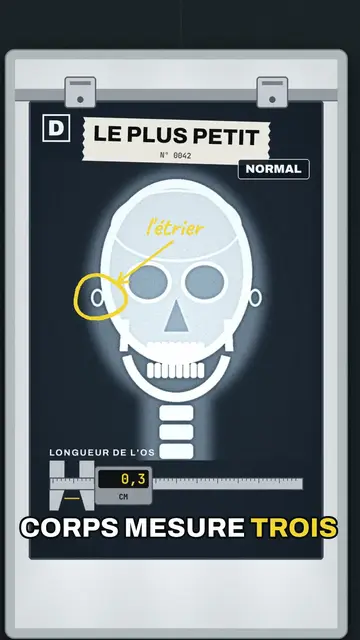
X-ray style video
X-ray lightbox style · X-rays on a wall of hospital lightboxes: grey-blue films, yellow marker, a caliper counter and a magnifier.
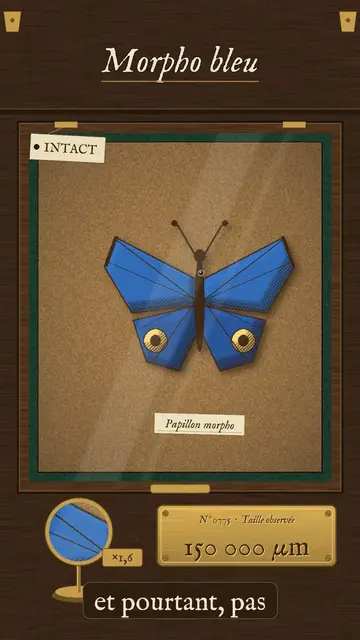
Vintage engraving video
Cabinet of curiosities style · An 18th-century naturalist's drawer: engraved specimens pinned on cork, Latin labels, a magnifier on a stand.
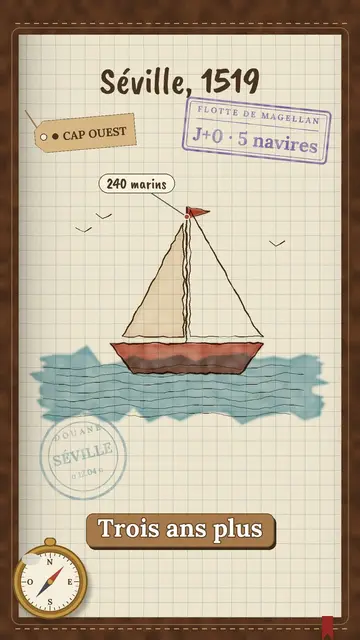
Watercolour travel journal video
Explorer's notebook style · A leather travel journal: sepia sketches, spreading watercolour, stamps, customs marks and a date stamp.
Jouw idee, in deze stijl
Schrijf een zin of spreek hem in: de stijl is al gekozen wanneer je de editor opent.