UI motion design explainer video — Clean interface style
Make a UI motion design explainer video: clean windows, buttons and a clicking cursor on a light background, synced to the voice. Built for AI and tech.
Inbegrepen vanaf Starter, met alle 26 stijlen plus je eigen · voorbeeld gemaakt met de ClipOnIt-engine
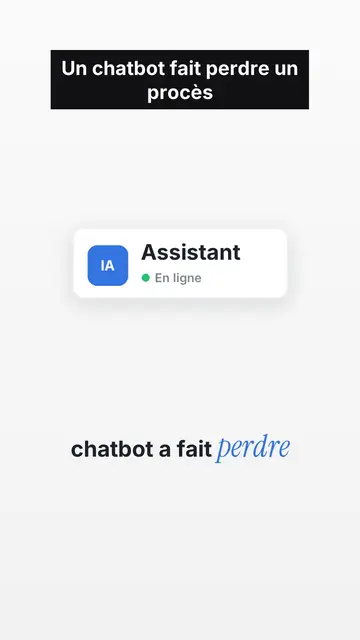
Zo ziet deze stijl eruit
Clean interface tells a story as if it were happening inside a computer. On off-white paper with a fine dot grid, operating-system style interface cards appear one by one: an email window with its recipient, an identity badge with its status dot, a big green button, a toggle switch, a dark monitor whose number drops, person icons that light up when their name is spoken. Each card enters exactly on the word that names it, with a small bounce.
A named cursor slides toward the button and clicks on the exact word, which builds suspense. Under the illustration, the caption turns from grey to black as the voice moves on, and the key word is set in blue italic serif. Tilted stamps (“DENIED”, “IGNORED”) hit the screen, keywords sometimes fill the whole frame, and a pause on a charcoal background marks the twist before the end card, which gets clicked too.
Geschikte onderwerpen
Avoid: very visual topics carried by landscapes, crowds or action scenes: the style shows screens, buttons and icons, not settings. Also avoid long lists of numbers without a story; a card should always say what is happening.
- AI and techA chatbot, a server or an app becomes a badge with its status: the story reads in its native language, the interface.
- True digital storiesFamous bugs, leaks, scams: emails, clicks and counters show what happened, step by step.
- Product demos and adsThe clicking cursor and the end card with its button make a clean demo, without a screen recording.
- Faceless channelsLight background, crisp type and recognisable cards give a series an identity without a face on screen.
Videoideeën in deze stijl
- The chatbot that lost a lawsuit
The chat window, the reply turning black word by word, the DENIED stamp, then the verdict on black.
- $440M lost in 45 minutes
Eight servers in a grid, a switch that turns itself back on, a counter that runs wild.
- How a fake bank advisor scam works
The text message, the link, the “Confirm” button the cursor avoids, and the habit to keep.
- Your app explained in 40 seconds
The problem as a red badge, your feature as a window, the click that fixes it and the end card.
Klaar in 1 klik
- Open de link van deze stijl
Met de knop “Maak een video in deze stijl” open je de editor met deze stijl al geselecteerd. Zonder account duurt aanmelden een minuut en heb je geen bankkaart nodig.
- Schrijf je onderwerp in één zin
Eén idee is genoeg. Je kunt ook je tekst plakken of, vanuit Starter, inspreken via de microfoon: de video bouwt dan voort op jouw stem.
- Nakijken, dan renderen
AI schrijft de scènes, kiest de elementen van de stijl en timet ze op de woorden, met stem en ondertitels. Jij past aan wat niet klopt, daarna is de verticale MP4 binnen een paar minuten klaar.
Wat je kunt aanpassen
For each scene you pick one to three cards out of fifteen (window, badge, button, toggle, monitor, list, grid, gauge, number, calendar, clock, arrow, people, quote or a library element), the word where each one appears and the one where the cursor clicks. You add a stamp, an alert pill or a “danger” background, and change the accent colour to match your brand. Your own voice works too: everything locks onto the spoken words.
Getekend in deze stijl
9 517 elementen in de bibliotheek, doorzoekbaar op betekenis. Een paar daarvan:
 Personages
 Apparaten
 Documenten & locaties
 Data
 Decors
 Interfaces
 Wetenschap
 Acties
Veelgestelde vragen
Gratis of niet, output, gebruik: de korte antwoorden.
What is UI motion design?
An animation that tells a story with interface elements: windows, buttons, cursors, notifications. Here the engine draws them and animates them to the voice, without screen recordings.
Kan ik mijn eigen stem gebruiken?
Yes. Record yourself or import your audio: every card, every click and every caption word locks onto what you say.
Is there a version with my face?
The style is faceless. For a talking-head video in the same format (illustrations on top, you below), contact us: it is an editing recipe from our studio.
Is deze stijl beschikbaar in het gratis abonnement?
Nee, het zit in Starter ($29/maand): 15 video's per maand zonder watermerk, alle 26 stijlen plus je eigen stijlen. Het gratis plan geeft 3 video's per maand met watermerk in 8 andere stijlen: Pixel News, Press paper, Comedy cartoon, Class sketch, Night tale, Social screen, Retro synthwave en Flat vector.
Als je deze stijl leuk vindt
- Gratis
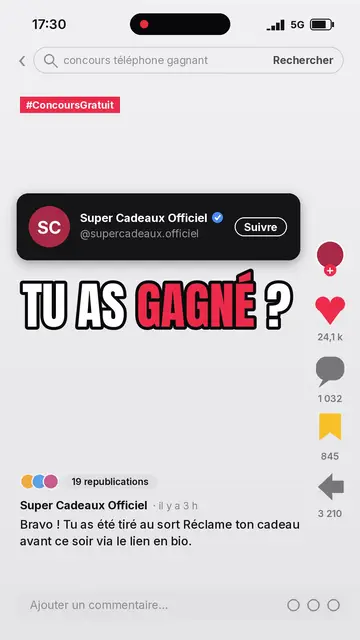
Social media-uitlegvideo
Social screen stijl · Een nagemaakte socialfeed: profiel, tellers, reacties.
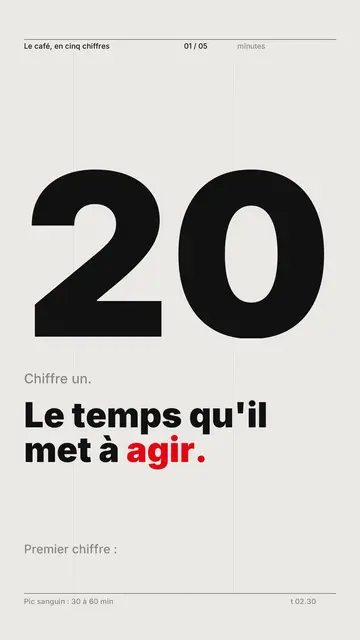
Kinetic typography videomaker
Swiss grid-stijl · Zwitserse typografie: licht papier, strak raster, reusachtig cijfer, één signaalkleur.
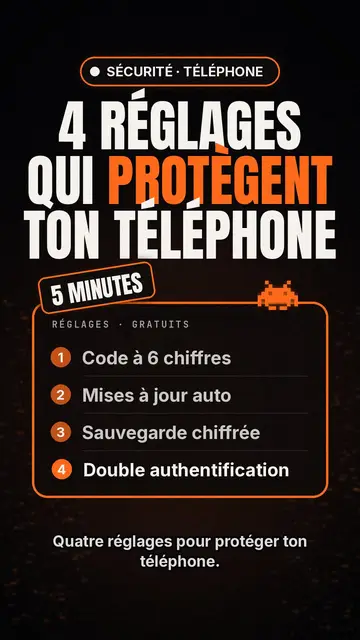
Tech top list videomaker
Tech list style · Tech-kaart op zwart, gloeiend label, genummerde lijst.
Jouw idee, in deze stijl
Schrijf een zin of spreek hem in: de stijl is al gekozen wanneer je de editor opent.